I use Blur by tekno to add motion blur to my clips.
Download blur:
Video Guide
Download links: Github link Direct Windows Installer link <-- Click this to download the installer directly.
Once downloaded, copy my config.
Config
[blur v2.45]

- blur
blur: true
blur amount: 1.5
blur output fps: 120
blur weighting: gaussian_sym
blur gamma: 1.405

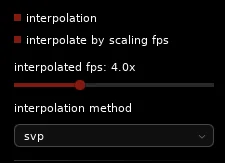
- interpolation
interpolate: true
interpolated fps: 4x
interpolation method: svp

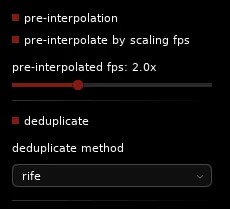
- pre-interpolation
pre-interpolate: true
pre-interpolated fps: 2x

- deduplication
deduplicate: true
deduplicate method: rife

- rendering
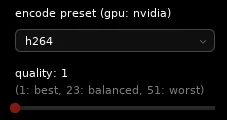
encode preset: h264
quality: 1
preview: true

- gpu acceleration
gpu decoding: true
gpu interpolation: true
gpu encoding: true- Once copied, open blur.
- Click the config button.
- Then click import.
- Scroll down to gpu encoding device and rife gpu
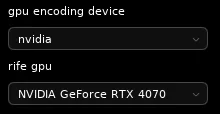
Now you have my config! I highly recommend to play around with these settings! 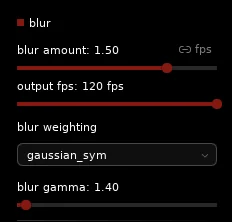
How to use Blur
Using blur is really as simple as dragging and dropping a video! Check it out!
Once finished, it should make a folder named blur in the location of the video you dragged in. The blurred video should be ready inside that folder to be exported and edited!